

Compliance That Scales With Enterprise Accounting
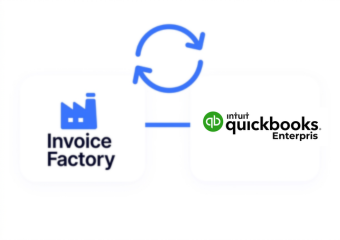
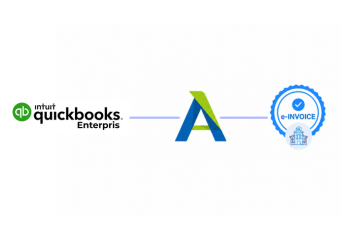
How QuickBooks Enterprise Works with Advintek
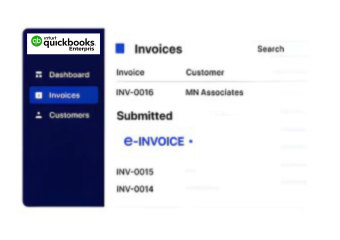
- Enterprise Data Capture: Relevant QuickBooks Enterprise invoice information enters Advintek through configured accounting integration workflows for processing.
- Transaction Field Mapping: Transaction details are organized into structured fields supporting applicable Japanese electronic invoice processes.
- Invoice Detail Validation: Configured checks review required invoice information before connected processing advances through subsequent workflow stages.
- Structured Data Preparation: Validated QuickBooks Enterprise information is prepared for compatible structured electronic invoice exchange workflows.
- Processing Response Matching: Returned processing information is associated with Enterprise transactions for clearer accounting visibility and tracking.
- Enterprise Record Synchronization: Completed processing information supports consistent records across QuickBooks Enterprise and connected digital invoice workflows.
Inside QuickBooks Enterprise Invoice Integration
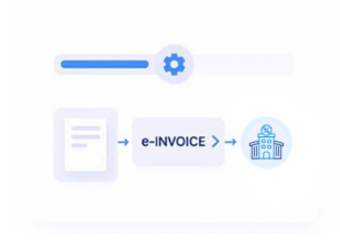
Advintek extends QuickBooks Enterprise by coordinating invoice data preparation, validation, structured exchange, and connected record management for Japanese accounting operations.
- Extracts relevant Enterprise invoice information
- Structures data for Japanese invoicing
- Coordinates compatible digital exchange workflows
- Links processed records with Enterprise
Benefits for QuickBooks Enterprise Accounting
- Cleaner Invoice Processing: Structured workflows create consistent movement between Enterprise records and Japanese e-invoice activities.
- Stronger Data Accuracy: Configured checks help maintain reliable invoice information throughout connected QuickBooks Enterprise processing activities.
- Organized Tax Information: Relevant consumption tax details remain associated with corresponding QuickBooks Enterprise transactions during electronic processing.
- Clearer Transaction Tracking: Connected records provide greater visibility across accounting activity and e-invoice processing stages.
- Reduced Manual Reconciliation: Automated information handling limits repetitive work between QuickBooks Enterprise accounting records and invoice services.
- Flexible Business Processing: Configurable workflows accommodate varied QuickBooks Enterprise invoicing requirements across Japanese business operations and teams.
One Compliance Layer Across Enterprise Billing
Structured Invoice Exchange
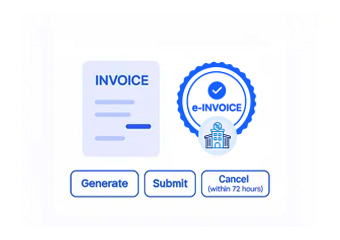
Enterprise invoice information is prepared for compatible Japanese electronic invoice exchange workflows and requirements.
Tax Data Coordination
Tax information remains connected with transaction details throughout electronic invoice validation and processing.
Transaction Record Matching
Processed invoice information links with Enterprise transactions for organized reconciliation and accounting review.
Supporting QuickBooks Enterprise Users
Advintek helps QuickBooks Enterprise users coordinate accounting activity with Japan-focused electronic invoicing, connecting billing, tax data, structured exchange, and records.
- Enterprise teams issuing Japanese invoices
- Businesses adopting structured invoice processing
- Finance teams managing consumption tax
- Organizations connecting accounting workflows digitally
Strengthen Your Digital Billing Operations
Connect QuickBooks Enterprise with structured Japan e-invoicing through Advintek.
Start organizing digital invoice workflows today.
Ready e-Invoice System
Frequently Asked Questions QuickBooks Enterprise e-Invoicing Japan
How can QuickBooks Enterprise support Japanese invoice processing?
QuickBooks Enterprise can provide detailed accounting and invoice information for connected Japanese e-invoicing workflows. Advintek can use relevant customer, transaction, tax, and invoice data within configured processes, helping finance teams coordinate Enterprise records with applicable structured invoice and electronic processing requirements. This allows existing accounting information to support downstream Japanese invoicing activities without replacing QuickBooks Enterprise.
Which QuickBooks Enterprise data fields are relevant for Japan e-invoicing?
Depending on the integration configuration, relevant QuickBooks Enterprise information can include customer details, invoice references, transaction values, line items, tax information, and other required fields. Advintek can map applicable data into the connected workflow, maintaining a relationship between Enterprise accounting records and processed electronic invoice information while supporting structured Japanese invoice preparation and downstream processing.
Can QuickBooks Enterprise support multiple invoice workflows for Japanese operations?
QuickBooks Enterprise can contain varied transaction and customer records across business operations, while Advintek can apply configured processing rules to relevant invoice information. This allows businesses to establish workflows around different transaction types, customer records, tax details, and electronic invoice requirements. Each workflow can use applicable mappings and validation rules rather than applying identical processing to every Enterprise record.
How does Advintek validate QuickBooks Enterprise invoice information?
Advintek can apply configured checks to relevant QuickBooks Enterprise invoice information before it proceeds through connected processing. These checks can examine required customer, transaction, tax, and invoice fields, helping identify incomplete or inconsistent information earlier. Finance teams can then review applicable records before Enterprise data advances through the configured Japanese electronic invoicing workflow for structured processing.
Can QuickBooks Enterprise transactions remain connected to processed invoices?
Yes. Processed electronic invoice information can remain associated with the originating QuickBooks Enterprise transaction. This relationship helps accounting teams trace invoice activity back to source records, supporting reconciliation, transaction review, tax-information checking, and organized record management. Maintaining these connections can also provide useful context when finance teams review processed invoices alongside their original Enterprise accounting information.