

PRONTO Workflows for Japan Invoicing
How Advintek Processes PRONTO Data
- Transaction Data Collection: Advintek gathers relevant PRONTO transaction details from established business processes for electronic invoice preparation.
- Structured Data Preparation: Selected PRONTO fields are organized into structured information for Japanese invoice processing requirements accurately.
- Invoice Validation Checks: Invoice records undergo checks covering completeness, consistency, tax information, and required document attributes beforehand.
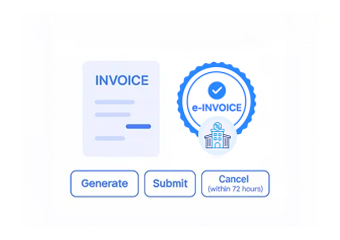
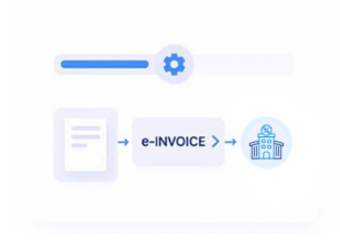
- Electronic Document Formatting: Validated transaction information is formatted into structured electronic invoice documents for subsequent processing activities.
- Connected Workflow Routing: Prepared documents follow connected workflows while retaining references to originating PRONTO business transactions throughout.
- Processed Record Tracking: Processed invoice information remains associated with relevant PRONTO records for finance review activities and reconciliation.
What Advintek Links in PRONTO
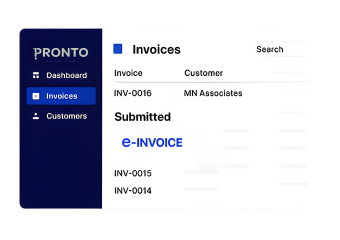
Advintek connects PRONTO information with Japanese invoice processing, helping businesses coordinate commercial records and financial documents through structured workflows.
- Extract billing details from PRONTO transactions
- Associate customers with invoice information
- Organize product details for billing
- Route structured documents through workflows
What PRONTO Businesses Gain from Advintek
- Reduced Data Entry: Automated processing reduces repeated entry when teams create invoices from established PRONTO transactions efficiently.
- Consistent Information Handling: Connected workflows help maintain consistent customer, product, tax, and invoice information throughout processing.
- Clearer Invoice Visibility: Finance teams gain clearer visibility across invoices linked with originating PRONTO business records.
- Earlier Error Detection: Validation checks can identify incomplete information before documents proceed through subsequent processing stages.
- Stronger Reconciliation Support: Linked transaction references support reconciliation between invoiced activity and corresponding operational records effectively.
- Scalable Workflow Management: Repeatable workflows help organizations manage higher invoice volumes without redesigning established PRONTO processes.
Everything You Need for Japan E-Invoicing in One Place
Workflow Accuracy Controls
Validate invoice information before documents enter subsequent electronic processing workflows for accuracy and completeness.
Japanese Tax Configuration
Apply Japanese tax details during structured invoice preparation activities across relevant PRONTO records.
Structured Document Exchange
Exchange structured invoice documents using information sourced from PRONTO records through connected processing workflows.
Japan Invoicing Support for PRONTO Users
Businesses using PRONTO can connect sales, inventory, purchasing, and accounting activities with Japanese electronic invoicing through structured Advintek workflows.
- Coordinate invoices across business locations
- Match billing with fulfilled orders
- Review incomplete records before submission
- Support finance reporting from invoice data
Start Structured Invoice Processing With Advintek
Connect PRONTO transaction data with Japan-ready invoice workflows through Advintek.
Start structured e-invoicing across your PRONTO operations.
Ready e-Invoice System
Frequently Asked Questions Pronto ERP E-Invoicing Japan
Where can PRONTO users manage invoice-related customer information?
Customer records within PRONTO can contain account identifiers, addresses, contact information, commercial details, and other attributes used during billing. Advintek can incorporate applicable customer information into connected e-invoicing workflows, helping organizations maintain consistent invoice data while reducing repeated manual entry across customer billing processes.
Can PRONTO sales orders feed electronic invoice creation?
PRONTO sales orders can contain customer references, products, quantities, pricing details, and other commercial information needed for billing. Advintek can use relevant order information within connected Japanese e-invoicing workflows aligned with NTA requirements, helping finance teams create structured invoice documents from established PRONTO transactions while maintaining links to the originating sales activity.
How can PRONTO inventory records support invoice accuracy?
Inventory information can help verify products, quantities, warehouse activity, and fulfilled transaction details associated with customer billing. Advintek can connect relevant PRONTO inventory records with invoice workflows, giving finance teams additional ERP information for checking billed quantities and identifying discrepancies before electronic documents continue through processing.
What PRONTO purchasing data can assist supplier invoicing?
PRONTO purchasing records may contain supplier details, purchase references, ordered items, quantities, and procurement information relevant to supplier transactions. Advintek can connect applicable purchasing data with invoice workflows, helping businesses compare supplier documents against established ERP records and maintain clearer relationships between procurement activity and financial processing.
How does PRONTO support financial review after invoicing?
PRONTO financial records can provide accounting references that help teams review transactions associated with processed invoices. Advintek can preserve relevant relationships between invoice information and originating ERP records, allowing finance personnel to investigate transaction details, compare accounting information, and support reconciliation using established PRONTO data.