

Japan Compliance Across Microsoft Dynamics 365 Commerce Processes
Inside the Microsoft Dynamics 365 Commerce Data Journey
- Order Information Capture: Advintek collects applicable Microsoft Dynamics 365 Commerce order information and prepares relevant fields for invoice processing workflows.
- Customer Details Mapping: Customer and account information is associated with appropriate invoice fields during structured processing activities.
- Product Line Organization: Products, quantities, prices, discounts, and related order details are organized for invoice creation accurately.
- Tax Values Preservation: Relevant consumption tax information stays connected with applicable transaction values throughout invoice processing.
- Invoice Data Validation: Structured invoice information is reviewed before continuing toward delivery, storage, and financial workflows.
- Accounting Record Transfer: Processed invoice information can continue toward connected Microsoft Dynamics 365 Commerce accounting and ERP reconciliation activities.
How Advintek Extends Microsoft Dynamics 365 Commerce Workflows
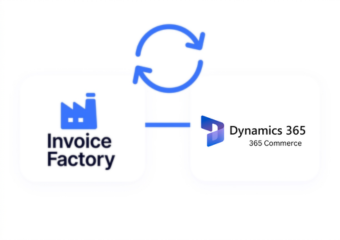
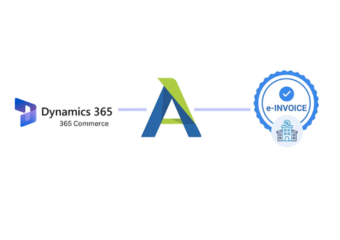
Advintek connects Microsoft Dynamics 365 Commerce transaction information with Japanese invoice processing, giving finance teams structured relationships between orders, products, customers, and accounting records.
- Transfers order details into invoice records
- Connects product lines with financial documentation
- Links customer accounts with billing information
- Coordinates transaction references for ERP reconciliation
Business Value Across Microsoft Dynamics 365 Commerce Operations
- Connected Retail Information: Unite commerce, invoicing, and accounting information through coordinated workflows supporting broader financial operations.
- Less Duplicate Processing: Reduce repeated entry between Microsoft Dynamics 365 Commerce transactions, invoice preparation, and connected accounting activities.
- Reliable Transaction Records: Maintain aligned product, order, customer, discount, tax, and invoice information across business workflows.
- Faster Financial Matching: Give accounting teams organized invoice references for comparing Microsoft Dynamics 365 Commerce transactions with ERP records.
- Managed Order Corrections: Coordinate cancellations, refunds, credits, and revised transaction information across related financial workflows.
- Broader Commerce Visibility: Relate channel activity with invoice and accounting records for clearer financial analysis.
Microsoft Dynamics 365 Commerce Tools for Japan Invoicing
Order Mapping Controls
Map Commerce order fields into structured Japanese invoice records for consistent downstream processing.
Channel Data Coordination
Coordinate applicable transaction information from Commerce channels with connected financial and accounting workflows.
Invoice Audit Support
Preserve relevant invoice references and transaction relationships for organized financial review and reconciliation.
Supporting Microsoft Dynamics 365 Commerce Across Japan
Microsoft Dynamics 365 Commerce can connect online, store, product, customer, and order information with structured invoicing and centralized ERP financial processes.
- Coordinate online orders with ERP records
- Reconcile store transactions against invoice data
- Consolidate customer billing across commerce channels
- Track adjustments through connected financial workflows
Japan E-Invoicing Shouldn’t Slow Down Commerce
Connect Dynamics Commerce transactions with structured Japanese invoice processing today.
Coordinate retail data across connected ERP systems.
Ready e-Invoice System
Frequently Asked Questions Microsoft Dynamics e-Invoicing Japan
How does Microsoft Dynamics 365 Commerce connect with an ERP e-invoicing workflow?
Microsoft Dynamics 365 Commerce can provide order, product, customer, pricing, discount, tax, and transaction information that becomes relevant to invoice processing. Advintek can structure applicable Commerce data before connecting it with ERP workflows. This helps finance teams maintain a relationship between retail activity, electronic invoice records, and centralized accounting information.
Can Microsoft Dynamics 365 Commerce product catalogs contribute to ERP invoice records?
Product catalog information can provide useful references for invoice line creation, including product descriptions, quantities, prices, and related transaction details. Advintek can organize applicable information from Microsoft Dynamics 365 Commerce transactions before financial processing. This helps ERP systems receive structured invoice data that reflects actual commerce activity instead of relying on separately recreated billing information.
How are Microsoft Dynamics 365 Commerce discounts represented during invoice processing?
Discounts can affect the values associated with individual products or complete orders, making them relevant to accurate invoice preparation. Applicable discount information can be retained alongside Microsoft Dynamics 365 Commerce transaction details during processing. Advintek can coordinate these values with invoice records so connected financial systems receive information that corresponds more closely with the originating order and NTA-aligned requirements.
Can Microsoft Dynamics 365 Commerce customer accounts remain linked to ERP invoices?
Customer and account information can accompany applicable Microsoft Dynamics 365 Commerce transactions as they enter the invoice workflow. Advintek can map relevant customer details into structured invoice records and maintain references connecting those records with source transactions. This gives ERP and accounting teams a clearer relationship between customer activity, invoice documentation, and corresponding financial records.
How can Microsoft Dynamics 365 Commerce refunds affect connected ERP accounting records?
Refunds can create financial adjustments that need to remain associated with their original Microsoft Dynamics 365 Commerce transactions. Relevant refund and order information can be processed alongside invoice references before reaching connected accounting workflows. This helps ERP teams distinguish original sales from subsequent adjustments while maintaining useful transaction relationships for reconciliation and financial reporting.