

Japan E-Invoicing Software with NTA Tax Compliance Support

Japan Invoicing With Microsoft Power Automate
Start Compliance Setup Modernize Paths for Digital Billing
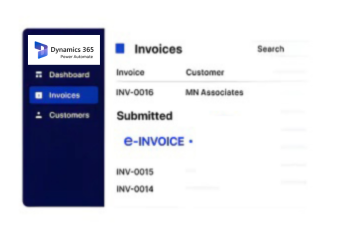
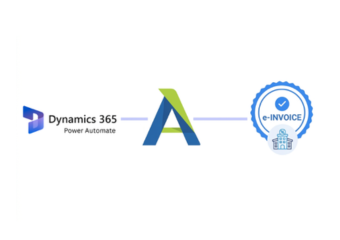
Advintek connects Microsoft Power Automate workflows with Japan e-invoicing processes, coordinating invoice data, approvals, validation, and financial records.
Powerful features

Microsoft Power Automate Capabilities for Japan Compliance

Affordable pricing for SMEs

Simple, Transparent Pricing

Starting from as low as

RM 20

Inside Microsoft Power Automate and Advintek Workflow

  • Input Data Collection: Relevant Microsoft Power Automate inputs are gathered and prepared for structured Japanese e-invoice processing workflows.
  • Information Verification: Customer, transaction, tax, and document details are checked against connected source systems and NTA-aligned requirements before processing begins.
  • Invoice Data Structuring: Invoice information is transformed into structures suitable for supported Japanese electronic invoicing workflows and exchanges.
  • Reference Association: Document references are associated with source records to preserve traceability across automated financial processing workflows.
  • Exchange Workflow: Prepared invoices can pass through configured exchange workflows while automation activity remains visible for review.
  • Result Distribution: Processing outcomes are routed to connected systems for reconciliation and continued financial oversight across operations.

How Advintek Processes Microsoft Power Automate Information

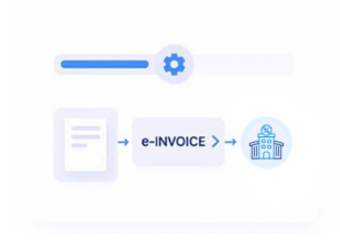
Advintek connects Microsoft Power Automate automation with Japanese e-invoicing workflows, allowing invoice information to move between business applications while maintaining source references and reducing repetitive finance administration.

e invoicing in sap, einvoicing in sap einvoicing sap
sap e invoicing for compliance sap einvoicing sap einvoice

Microsoft Power Automate Businesses Gain from Advintek

  • Reduced Manual Handling: Automation reduces repetitive invoice preparation tasks by routing relevant business information between connected systems.
  • Consistent Workflow Steps: Standardized workflow steps support consistent invoice handling across validation, approval, transmission, and record updates.
  • Traceable Transaction Links: Connected references help teams trace invoices back to originating business transactions during accounting reviews.
  • Improved Process Visibility: Automated routing provides clearer visibility across invoice queues, processing stages, exceptions, and completed documents.
  • Connected Application Workflows: Flexible workflows can coordinate sales, purchasing, service, and finance activities across multiple connected applications.
  • Accessible Processing Records: Processed invoice records remain available for reconciliation, reporting, and ongoing financial administration activities routinely.
Powerful features

Complete Control Over Japan E-Invoicing Workflows in One Platform

Built for UAE Businesses Using QuickBooks

Supporting Japanese Businesses Using Microsoft Power Automate

Businesses using Microsoft Power Automate can coordinate invoice preparation across ERP, accounting, CRM, procurement, and other connected applications while supporting structured Japanese e-invoicing processes and maintaining source transaction references.

Configure Power Automate for Japan

Build More Efficient Qualified Invoice Workflows

Connect Microsoft Power Automate with Japan e-invoicing through Advintek today.

Start automated invoice processing with confidence.

Ready e-Invoice System

0 % NTA

Frequently Asked Questions Power Automate e-Invoicing Japan

How can Microsoft Power Automate trigger invoice workflows from ERP events?

Microsoft Power Automate can initiate workflows when configured business events occur within connected ERP or financial applications. For example, an approved sales transaction, completed service record, or accounting event can initiate invoice-related processing. Advintek can connect these automated triggers with Japanese e-invoicing workflows while preserving relevant source-system information.

When configured validation identifies incomplete or inconsistent information, Microsoft Power Automate can route the item toward an exception or review process rather than continuing automatically. Advintek can support the connected workflow by maintaining relevant invoice references, allowing finance teams to investigate missing information before the document proceeds through electronic invoicing.

Microsoft Power Automate can connect workflows across multiple Microsoft and third-party applications, depending on available connectors and configurations. Advintek can use this connectivity to coordinate relevant invoice information between ERP, accounting, CRM, procurement, and other systems, helping organizations establish a connected Japanese e-invoicing process without manually transferring every record.

Approval stages can be incorporated before an invoice proceeds to subsequent processing activities. Microsoft Power Automate can route documents according to configured business conditions, responsibilities, or workflow rules. Advintek can connect approved invoice information with Japanese e-invoicing processes, helping organizations maintain a controlled path from source transaction through electronic document processing.

Microsoft Power Automate can route exceptions to designated workflows when predefined conditions identify issues requiring attention. Advintek can maintain the connection between the affected invoice and its originating business information, helping finance teams review discrepancies, correct relevant records, and resume processing without losing the document’s relationship with its source transaction.