

Japan E-Invoicing Software with NTA Tax Compliance Support

Microsoft Dynamics 365 Business Central Japan
Start Compliance Setup Business Data Into Connected ERP Processes
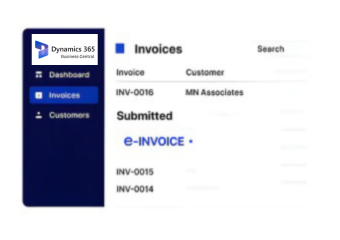
Microsoft Dynamics 365 Business Central supports Japan organizations with finance, sales, inventory, reporting, and JP PINT-related e-invoicing requirements.
Powerful features

Business Central Solutions Across Japan Operations

Affordable pricing for SMEs

Simple, Transparent Pricing

Starting from as low as

RM 20

Business Central Data Flow with Advintek in Japan

  • Operational Mapping: Map current business activities, departmental responsibilities, transaction flows, and reporting expectations to Business Central capabilities.
  • Configuration Framework: Establish company settings, financial structures, dimensions, numbering, permissions, workflows, and relevant application parameters.
  • Record Harmonization: Standardize customer, vendor, product, account, project, and inventory records before importing them into Business Central.
  • Interface Architecture: Define data exchanges between Business Central, external applications, financial systems, warehouse platforms, and other connected technologies.
  • Readiness Verification: Review transactions, approvals, integrations, user access, reports, and configured processes before the Japan environment goes live.

Business Central Integration for Businesses in Japan

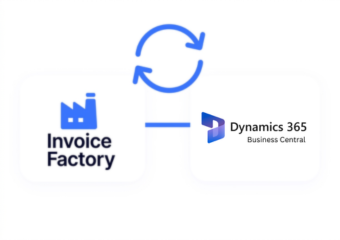
Advintek connects Business Central information with relevant applications, supporting financial, customer, sales, purchasing, inventory, operations, reporting, and NTA-related e-invoice data across selected workflows.

e invoicing in sap, einvoicing in sap einvoicing sap
sap e invoicing for compliance sap einvoicing sap einvoice

Business Value for Business Central Users in Japan

  • Unified Financial Management: Coordinate accounting, receivables, payables, cash flow, budgeting, and financial activities across business operations.
  • Sales Process Visibility: Manage customers, quotations, orders, invoicing, and sales information through connected commercial workflows.
  • Procurement Management: Organize suppliers, purchase orders, approvals, purchasing activities, and transaction records within defined processes.
  • Inventory Control: Track inventory levels, item movements, availability, locations, and stock information across relevant operations.
  • Operational Flexibility: Configure workflows, permissions, data structures, and business processes according to organizational requirements.
  • Business Insights: Review financial, sales, purchasing, inventory, and operational information through reports and analytics for informed business planning.
Powerful features

Business Central Resources for Japan ERP

Built for UAE Businesses Using QuickBooks

Supporting Business Central Operations in Japan

Organizations can connect finance, sales, purchasing, inventory, manufacturing, projects, services, and reporting through Business Central, helping teams coordinate operations, share information, manage workflows, and support decisions in Japan.

Unlock More from Business Central

Extend Capabilities Across Your Enterprise

Connect core business functions through Business Central for structured Japan operations.

Business Central enabled. Japan-ready with Advintek.

Ready e-Invoice System

0 % NTA

Frequently Asked Questions Microsoft Dynamics e-Invoicing Japan

What is Microsoft Dynamics 365 Business Central Japan?

Microsoft Dynamics 365 Business Central Japan refers to using Business Central to manage core financial and operational activities for organizations operating in Japan. Depending on business requirements, the solution can support finance, sales, purchasing, inventory, manufacturing, projects, reporting, integrations, and relevant e-invoicing processes.

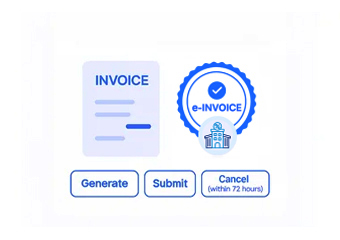
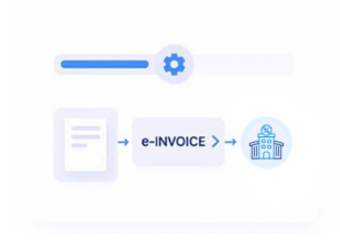
Business Central can be configured and integrated to support electronic invoicing workflows required by an organization in Japan. The specific approach depends on the business process, connected applications, data requirements, and applicable standards such as JP PINT. Integration and configuration should be assessed according to the organization’s invoicing environment.

Yes. Business Central can exchange relevant business data with selected external applications and systems. Depending on the required architecture, integrations may connect customer, supplier, sales, purchasing, inventory, financial, warehouse, reporting, or other operational information while maintaining defined data flows between connected platforms.

Advintek can support Business Central-related activities such as business process assessment, solution planning, configuration, data preparation, integration requirements, testing, deployment coordination, and ongoing support. The scope can be adapted to the organization’s existing systems, operational processes, functional requirements, and implementation objectives.

Business Central can support a range of connected business functions, including financial management, sales, purchasing, inventory, warehouse operations, manufacturing, projects, service activities, and reporting. The actual capabilities available depend on the selected Business Central applications, configuration, integrations, licensing, and specific requirements of the organization.